 ›
Biscuit
›
Biscuit
Biscuit
CodeHedge open-source WiFi & BT pentesting hardware — screenless, app-controlled, dual ESP32.

What is the Biscuit? — overview & intro
Choose your path
Option 1
Buy the original
Ready to use out of the box. Hardware assembled, firmware pre-loaded, quality-controlled by CodeHedge.
$125 – $160
biscuitshop.us ↗
Option 2
Build it yourself
Buy an ESP32-C5 dev board (~$10), flash the Biscuit firmware via browser. No soldering.
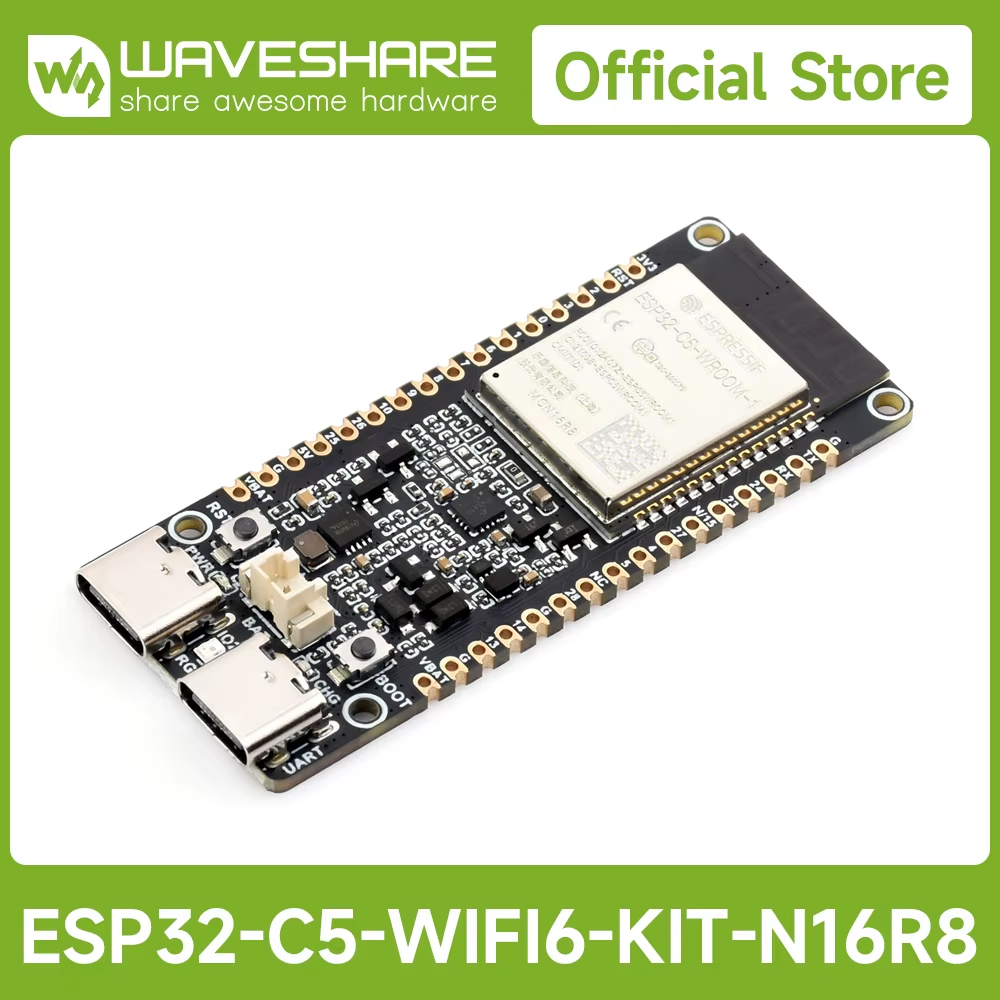
~$10
AliExpress ↗
DIY — Flash the firmware
1
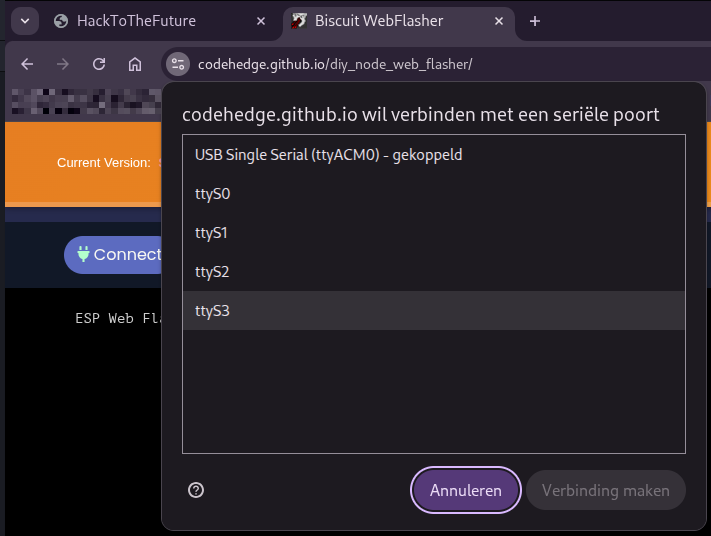
Connect the ESP32-C5 via USB
Open Chrome and go to the web flasher. Click Connect — a serial port dialog appears. Select the USB Single Serial entry (ttyACM0 / COM port) and click Verbinding maken.
2
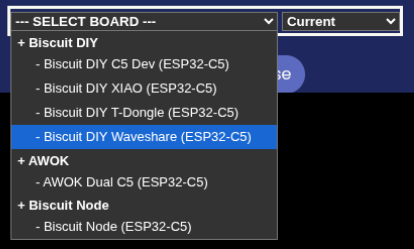
Select your board
Pick the variant that matches your hardware. Most generic ESP32-C5 dev boards work as Biscuit DIY C5 Dev. Waveshare and XIAO variants have their own entries.
3
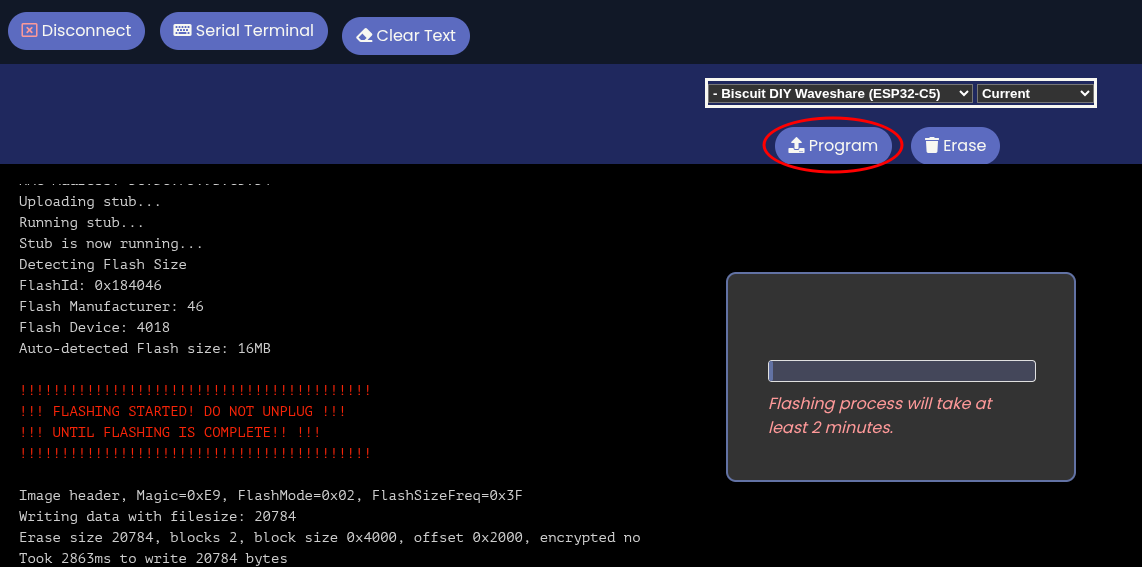
Click Program and wait
Hit the Program button. The flasher uploads the firmware automatically. Do not unplug during flashing — takes about 2 minutes. When done, the device reboots as a Biscuit.
Install the app
→
Biscuit Manager — iOS & Android
Connect to the device over Bluetooth LE. All features — scanning, wardriving, attacks — are controlled from here. Works the same whether you bought a Biscuit Pro or built your own.
App Features
Scan Access Points
Scan Stations
Scan All
Wardriving
Beacon Frames
Probe Requests
Deauth
Bluetooth Scan
AirTag Detection
Flipper Detection
Skimmer Detection
Sour Apple
App Screenshots
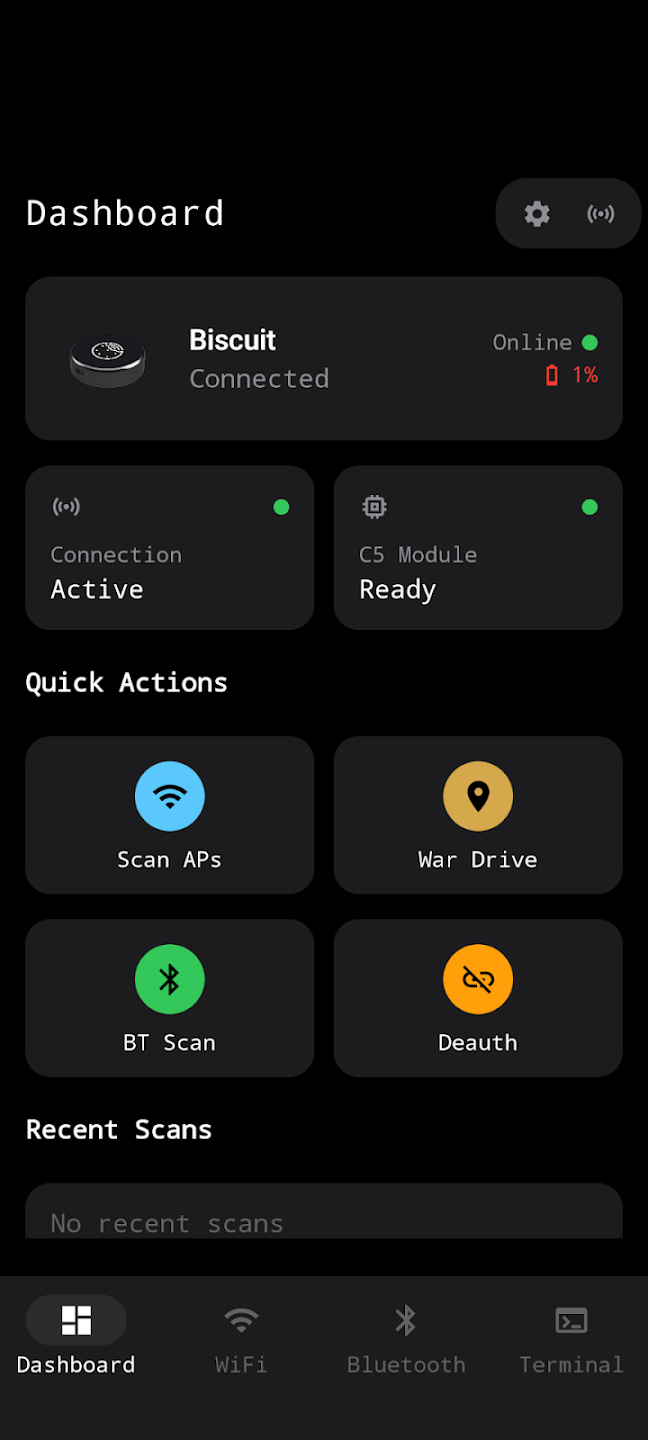 Dashboard — status & quick actions
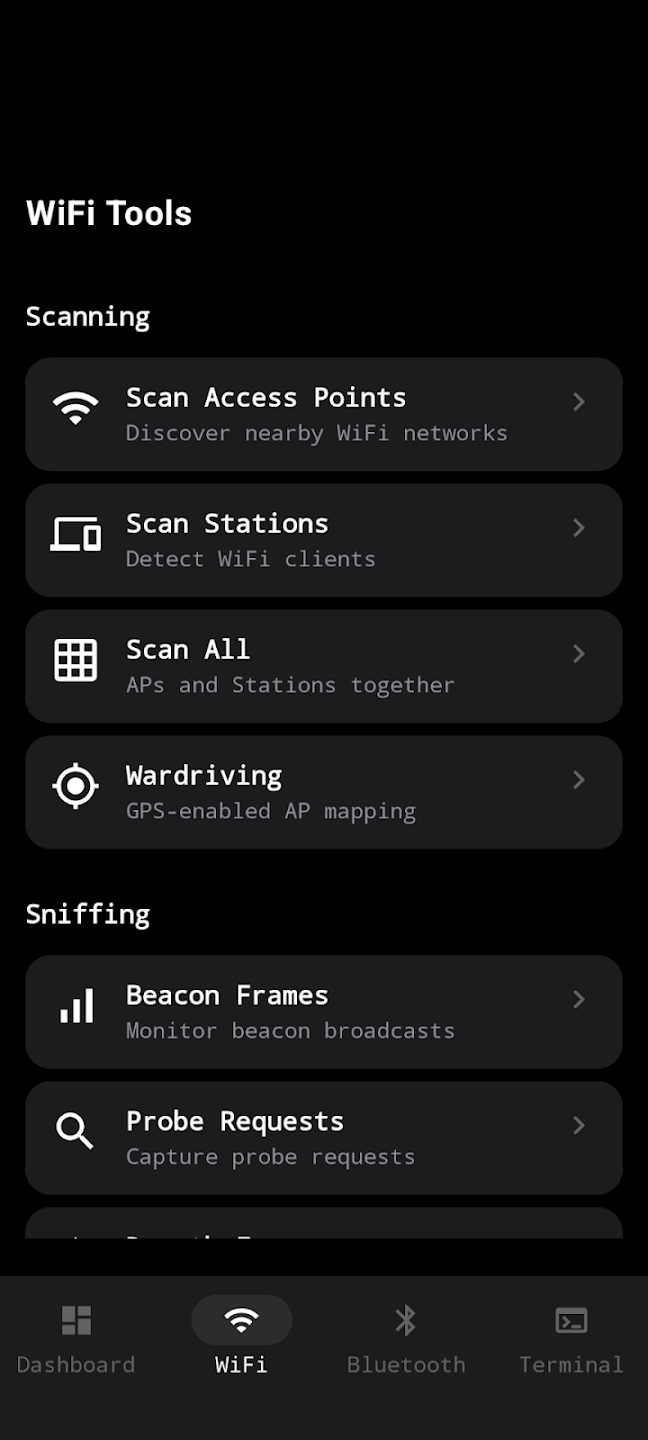 WiFi — scan, wardrive, sniff
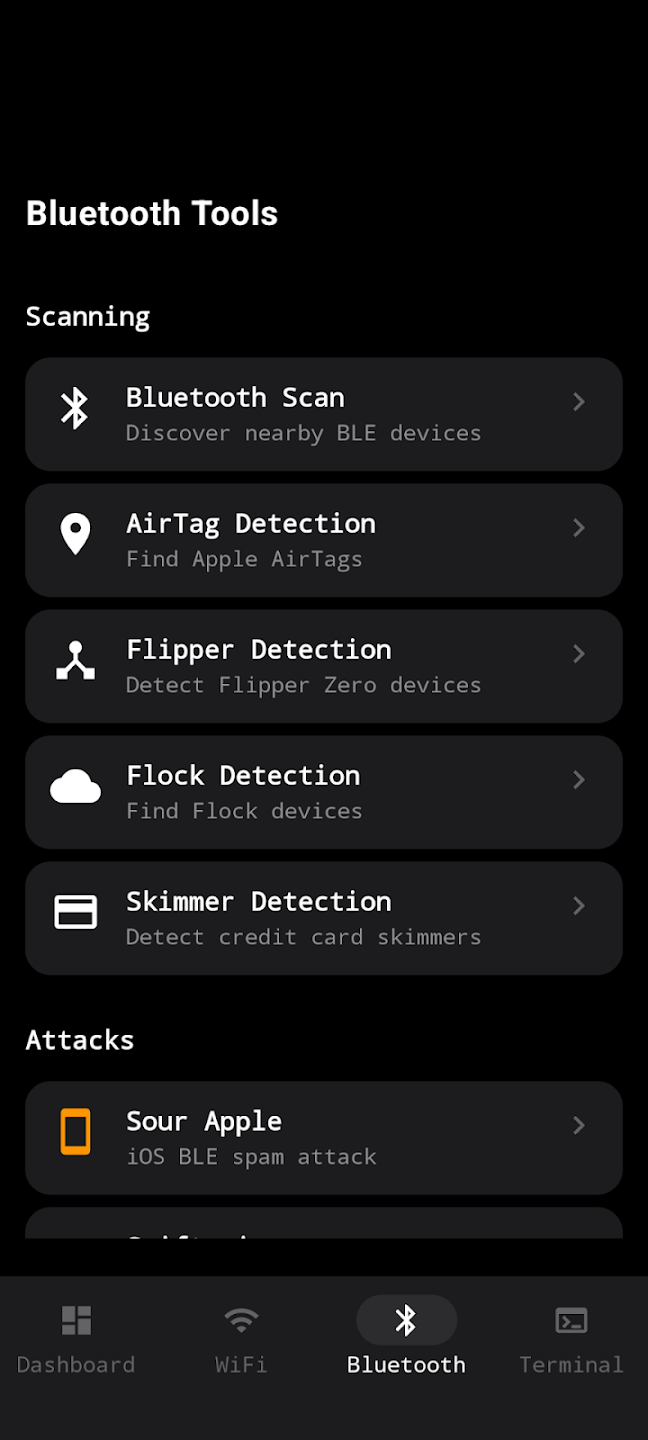 Bluetooth — scan, detect, attack