 ›
PortaPack ›
Use Cases › PMR446
›
PortaPack ›
Use Cases › PMR446
PMR446 Walkie-Talkies
The €15 walkie-talkies at every events tent, festival security post, and construction site — 16 channels, no licence, very busy.
- Attach the telescopic antenna, extended to ~17 cm (or use the stubby rubber duck).
- Tune to 446.00625 MHz — Channel 1, the most commonly used PMR446 channel.
- Mode: NFM. Bandwidth: 12.5 kHz. Squelch: off.
- LNA: 16 dB · VGA: 16 dB · Amp: OFF.
- Best results: near an event, market, building site, or supermarket — anywhere people are coordinating in teams.
1What you'll hear
PMR446 is the consumer walkie-talkie standard used across Europe. No licence, no registration — just buy a pair and talk. The original standard defined 8 analog channels; a 2018 EU revision added 8 more, bringing the total to 16 analog channels. Used by everyone from kids playing in the garden to festival security coordinators.
- Events and festivals: organisers, security staff, stage crew, catering. Active on channels 1–3 typically.
- Construction sites: foreman-to-operator coordination, often channel 8.
- Supermarkets and warehouses: staff coordination — common on channel 1.
- Family outings: parents tracking kids. Usually channel 1 or 2.
- Paintball/airsoft venues: game marshals, safety calls.
PMR446 in a quiet residential area is often silent. Walk into a market, fair, or any event where coordination is happening, and you'll immediately find traffic. A local fair, the Gentse Feesten, any construction site in the area — bring the PortaPack and try it there. The channel density at a large event is surprisingly high.
2Legal context
PMR446 operates under a General Authorisation — anyone can use it within the EU without a licence. The channels are shared by design. There is no expectation of privacy; the same device you're monitoring is available at Action for €12. Receiving is unambiguously legal.
PMR446 devices must be type-approved under the EU Radio Equipment Directive. Transmitting with a non-type-approved device (including the HackRF) on PMR446 frequencies is technically illegal even though the frequencies themselves are licence-free. This session is receive-only.
3Antenna choice
PMR446 is at 446 MHz. Quarter-wave: 7500 ÷ 446 ≈ 16.8 cm.
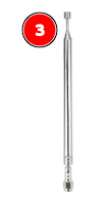
Telescopic antenna at 17 cm — or the stubby rubber duck
Range: 40 MHz – 6 GHz · Tunable
The telescopic at 17 cm works well, as does the stubby rubber duck (designed for ~1 GHz+ but functional here). PMR446 devices are short-range by design (500 mW, 2–5 km line-of-sight). You don't need sensitive antenna tuning — if someone is transmitting within 200 metres, you'll hear it at any reasonable antenna length.
4PMR446 channel plan
| Ch | Frequency | Common use (Belgium / EU) |
|---|---|---|
| 1 | 446.00625 MHz | Baby monitors — most traffic, most interference |
| 2 | 446.01875 MHz | Geocaching, camping, hikers |
| 3 | 446.03125 MHz | 🇧🇪 Emergency channel (Belgium) — never use subtones here |
| 4 | 446.04375 MHz | Off-road / 4×4, drones, boat-to-boat |
| 5 | 446.05625 MHz | Scouts & youth groups (CTCSS 79.7 Hz conventional) |
| 6 | 446.06875 MHz | Hunting (CTCSS 100.0 Hz conventional) |
| 7 | 446.08125 MHz | Preppers, alpine / mountain use |
| 8 | 446.09375 MHz | 🌍 European calling channel — first contact, switch after |
| 9 | 446.10625 MHz | Extended band (2018 EU revision) — less traffic, newer devices only. Good channels to try if 1–8 are busy or you want lower interference. |
| 10 | 446.11875 MHz | |
| 11 | 446.13125 MHz | |
| 12 | 446.14375 MHz | |
| 13 | 446.15625 MHz | |
| 14 | 446.16875 MHz | |
| 15 | 446.18125 MHz | |
| 16 | 446.19375 MHz |
Kenwood PMR446 devices use a non-standard channel numbering. Their channel 2 = standard channel 8 (446.09375 MHz). If someone says "meet me on channel 2" and they have a Kenwood, they mean the EU calling channel. Always confirm the frequency, not just the channel number.
Consumer PMR446 radios have a "privacy code" or "quiet channel" feature — actually a CTCSS squelch that mutes the speaker unless a matching sub-audible tone is present. This is not encryption — the voice is transmitted openly on the channel. Disable CTCSS squelch (leave it off) to hear everything. Channel 3 (BE emergency) must always operate without any subtone.
5Workflows
From Mayhem: Receive → Audio. Mode: NFM. Bandwidth: 12.5k.
Frequency: 446.00625 MHz. Gain: LNA 16 · VGA 16. Leave squelch off initially. PMR446 transmitters are strong and close-range — low gain is enough.
Step through channels manually with the encoder wheel (12.5 kHz steps) or use the Scanner app:
Start: 446.006 · Stop: 446.194 · Step: 12.5k.
The scanner stops on any active channel. Channels 1–8 carry the most traffic; channels 9–16 are newer and less busy but useful when 1–8 are congested. At a busy event you may find 3–5 channels active simultaneously.
PMR446 range is short — 200 m in a built environment, 2 km line-of-sight. If you hear a faint signal, moving toward the source (e.g. toward the stage or security tent) will dramatically increase signal strength. This also narrows down which team you're hearing.
Centre frequency: 446.100 MHz. Sample rate: 500 kHz — shows all 16 channels (446.006–446.194 MHz) simultaneously in the waterfall.
Radio module: NFM · bandwidth 12500 Hz · snap interval 12500. Click any signal stripe in the waterfall to tune to that channel.
LNA: 16 dB · VGA: 16 dB · IQ Correction: ON. PMR446 is low-power and short-range — if someone is transmitting nearby, even minimal gain will pick it up. Don't raise gain aggressively.
6Recommendation
PMR446 is a short-range band. The hardware matters less than where you are when you use it. A PortaPack in your pocket at any local market or fair will find more traffic in 5 minutes than an SDR++ setup at your desk finds in an hour. This session is about being in the right place at the right time.
If you own a cheap PMR446 walkie-talkie pair, you can generate your own test transmissions indoors: press the PTT button on one radio and confirm the PortaPack hears it. Instant verification without needing to attend an event.
7What it looks like in the waterfall
PMR446 spans 187.5 kHz of spectrum across 16 channels, each 12.5 kHz wide. In the waterfall you'll see up to 16 possible stripes. Channels 1–8 (left half) are busiest; channels 9–16 (right half) are mostly quiet on older gear. Active channels show as brief blue/teal flashes; inactive channels show only noise floor.
8Troubleshooting
Complete silence — no activity on any channel
PMR446 requires nearby transmitters — typically within 1 km in urban environments. In a quiet residential area with no events, you'll hear nothing. Try at a supermarket car park, near a building site, or at any public event. You can also verify your setup by pressing the PTT button on a cheap PMR446 walkie-talkie near the antenna — you should hear yourself immediately.
I hear voice but with heavy background noise
PMR446 devices are low-power (500 mW) and not designed for long range. At the edge of their range, signals get weak and noisy. Move closer to the transmitter. Also verify NFM bandwidth is 12.5 kHz — too wide sounds muddy, too narrow cuts the voice.
I can hear transmissions but the voice cuts in and out regularly
Likely the transmitter is moving (someone walking around an event). PMR446 signals weaken quickly through buildings and when the transmitter moves behind obstacles. This is expected behaviour — the signals are short-range and unobstructed-path dependent.
The band seems to be in use but I hear only noise bursts, no voice
You may be receiving digital dPMR446 — a separate digital variant that occupies the same 446 MHz band but uses a different channel plan. It sounds like a short repeating data burst, not voice. This is distinct from the 16 analog channels; dPMR uses its own interleaved slot structure. SDR++ with a dPMR plugin can decode voice from these digital transmissions. If you're hearing bursts on channels 9–16, it may also just be weak analog transmissions at the edge of range — check with squelch off.
9Next steps
- You've completed all 8 sessions! You've covered the spectrum from 87 MHz to 1090 MHz across FM, AM, NFM, ADS-B, OOK, APT, and PMR modulations. A solid foundation.
- Go back and do the harder ones better: NOAA satellites (Session 05) rewards a second attempt with better antenna placement. ADS-B (Session 03) rewards a permanent outdoor antenna setup.
- Explore adjacent use cases: AIS ship tracking (161–162 MHz), ACARS aircraft data (129–136 MHz), POCSAG pager decoding (153 MHz), Meteor M2 satellites (137 MHz), weather balloon radiosondes (400 MHz).
- Hardware next step: A dedicated ADS-B antenna for permanent tracking, or a simple turnstile for NOAA satellites, gives you dramatically better results than the kit telescopic.