 ›
PortaPack ›
Use Cases › 433 MHz Sensors
›
PortaPack ›
Use Cases › 433 MHz Sensors
Decode 433 MHz Sensors
Your doorbell, weather station, and neighbour's thermometer — all transmitting in plain sight at 433.92 MHz.
- Attach the telescopic antenna, extend to ~17 cm.
- On a laptop: run
rtl_433 -d driver:hackrf,gain=40 -f 433.92M - Press your doorbell button or bring the weather station sensor indoors near the antenna.
- Within seconds rtl_433 prints the decoded data: sensor type, temperature, humidity, channel.
- No doorbell? Wait — weather stations transmit automatically every 60 seconds.
1What you'll see
The 433 MHz ISM band is crammed with wireless devices broadcasting unencrypted data. rtl_433 recognises over 200 different sensor protocols and prints human-readable output like:
time : 2026-05-15 14:22:03 model : Oregon-THGR228N channel : 1 id : 0x4C Battery : OK Temperature: 19.5 C Humidity : 68 %
The sensor could be yours, or your neighbour's — 433 MHz passes through walls easily.
Wireless doorbells (press the button to trigger), Oregon Scientific and Bresser weather stations, outdoor temperature sensors, tire pressure monitors (TPM), wireless switches, remote power sockets, Somfy shutters, and soil moisture sensors.
2Legal context
The 433 MHz ISM band is license-free for transmission within power limits (typically 10 mW ERP in EU). Reception is always unrestricted. These devices broadcast into shared spectrum by design.
You'll often receive your neighbours' sensors. Temperature and humidity data is harmless. If you decode data that reveals occupancy patterns (motion sensors, door contacts), use that information responsibly — just because you can receive it doesn't mean it's appropriate to act on it.
3Antenna choice
433.92 MHz. Quarter-wave: 7500 ÷ 434 ≈ 17.3 cm.
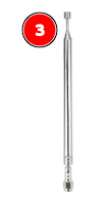
Telescopic antenna — extended to 17 cm
Range: 40 MHz – 6 GHz · Tunable
Extend until the total length is ~17 cm. At this frequency, the antenna is quite short — only about two-thirds of the way extended on a typical telescopic.
Consumer 433 MHz sensors typically have a range of 30–100 metres. You don't need to be outdoors — your kitchen table is fine. The sensors will come to you (press a doorbell, or wait for the 60-second weather station broadcast).
4Workflows
Mayhem does not include an OOK/FSK sensor decoder for the 433 MHz ISM band. You can see the signals in spectrum view and confirm your antenna is working — but to decode temperature, humidity, or doorbell press, you need the laptop workflow below.
From Mayhem home: Receive → Spectrum. Tune to 433.920 MHz. Span: 1 MHz.
LNA: 24 dB · VGA: 16 dB. You should see a flat noise floor around 433.92 MHz.
Press your doorbell, or bring a weather station transmitter close to the antenna. You'll see brief spikes in the spectrum at or near 433.92 MHz. This confirms the frequency and that reception is working.
Many newer European sensors (post-2015) use the 868 MHz ISM band instead of 433 MHz. If your weather station isn't visible at 433.92 MHz, try 868.300 MHz. For 868 MHz, use the telescopic at ~8.6 cm.
Kali/Debian: sudo apt install rtl-433. Check it's available: rtl_433 --version. It supports HackRF natively via the driver:hackrf device string.
rtl_433 -d driver:hackrf,gain=40 -f 433.92M
rtl_433 starts scanning around 433.92 MHz and prints decoded packets as they arrive. The gain value 40 = ~40 dB LNA gain equivalent.
Press your doorbell button. Wait for the weather station 60-second interval. Walk past a motion sensor. rtl_433 tries all known protocols and prints the first match.
If nothing decodes but you see pulses, the protocol may not be in the database. Try -A flag: rtl_433 -d driver:hackrf,gain=40 -f 433.92M -A — this shows raw pulse analysis.
Run a second terminal: rtl_433 -d driver:hackrf,gain=40 -f 868.3M
Or scan both simultaneously: rtl_433 -d driver:hackrf,gain=40 -f 433.92M -f 868.3M -H 60
rtl_433 -d driver:hackrf,gain=40 -f 433.92M -F json:/tmp/sensors.json
This logs every decoded packet to a JSON file — handy for building a home sensor dashboard or feeding Home Assistant / Domoticz.
5Recommendation
rtl_433 is the right tool for this session. The PortaPack is useful to visually confirm signals are present, but the meaningful data — temperature, humidity, device type — only comes from rtl_433. This is one session where the laptop workflow is not optional.
6Common sensor types and what to expect
| Device type | Typical frequency | Behaviour | rtl_433 protocol |
|---|---|---|---|
| Wireless doorbell | 433.92 MHz | Bursts only when button pressed | Various (Elro, Brennenstuhl…) |
| Weather station outdoor sensor | 433.92 MHz | Auto every 48–60 s | Oregon-THGRxxx, Bresser-3CH… |
| Remote power socket | 433.92 MHz | Only when remote pressed | EV1527, PT2262 |
| Soil moisture sensor | 433.92 MHz | Auto every few minutes | ECOWITT, WH51 |
| Newer EU smart sensor | 868.3 MHz | Varies | Lacrosse-TX35, many others |
7What it looks like in the waterfall
OOK signals appear as brief, repetitive bursts at 433.92 MHz — you can see the on/off pattern directly in the waterfall. Each sensor transmission typically takes 10–100 milliseconds.
What to look for: groups of narrow pulses at 433.92 MHz, typically 10–50 kHz wide. A weather sensor transmission looks like a burst of 5–20 pulses in rapid succession, then silence until the next interval.
8Troubleshooting
rtl_433 starts but never prints any decodes
1. Check HackRF is seen: hackrf_info should list the device before starting rtl_433.
2. Trigger a doorbell or bring a weather station outdoors sensor within 5 metres. The sensor must be actively transmitting — weather stations only transmit every 60 seconds.
3. Try higher gain: -d driver:hackrf,gain=48. Or try the raw pulse analyser: add -A to see if pulses are present but unrecognised.
4. Check the 868 MHz band too — many post-2015 European devices moved there.
rtl_433 crashes or throws an error about the device
Ensure no other application is using the HackRF (close SDR++ first). The HackRF can only be opened by one application at a time. If you get a libhackrf error, try unplugging and reconnecting the HackRF and run hackrf_info to confirm it's detected cleanly.
I see pulses in the PortaPack waterfall but rtl_433 doesn't decode them
The protocol may not be in rtl_433's database (~220 known protocols). Common causes: custom/proprietary protocol, 868 MHz device you're viewing at 433 MHz, or the device uses a rolling code (garage doors, key fobs) that rtl_433 detects but can't fully decode.
Use -A for raw pulse analysis and look at the Universal Radio Hacker (URH) tool for deeper protocol reverse engineering.
My weather station sensor doesn't appear even after waiting several minutes
Check the sensor's battery — low battery sensors often transmit on a degraded schedule. Try replacing the battery. Also verify which band: hold the sensor near a portable FM radio and check if 433.92 MHz is actually its frequency — some Bresser stations use 868 MHz, and some use proprietary frequencies.
I see the doorbell press but the data looks wrong
Some cheap doorbells use very simple protocols (e.g. EV1527 fixed code) — rtl_433 will show a code but not a meaningful label. That's normal. The important thing is you decoded a transmission. Cross-reference the model against the rtl_433 supported devices list on GitHub.
9Next steps
- Home Assistant integration: rtl_433 has MQTT output built in. Run
-F mqtt://localhostand feed decoded sensor data into Home Assistant or Node-RED for dashboarding. - Session 05 — NOAA satellites: A complete change of scale — from 30-metre doorbell range to satellite passes from 800 km altitude.
- Universal Radio Hacker (URH): Record an IQ capture of an unknown device in SDR++, load it into URH, and try to reverse-engineer the protocol manually.
- 868 MHz deep dive: The 868 MHz ISM band is increasingly common in EU. Run rtl_433 on 868.3 MHz alongside 433.92 MHz to see a fuller picture of your local wireless environment.