 ›
PortaPack ›
Use Cases › NOAA Satellites
›
PortaPack ›
Use Cases › NOAA Satellites
NOAA Weather Satellites
Pull real weather images directly from satellites orbiting 800 km above Belgium. No subscription, no account — just an antenna and patience.
- Check the next pass: go to n2yo.com, search NOAA 19, click Radio → Passes for your location.
- Wait for a pass with elevation > 30°. Passes at max elevation > 60° give the best images.
- Attach telescopic antenna, extend to ~54 cm. Place outdoors or right at a window with sky view.
- Tune to 137.100 MHz (NOAA 19) · WFM · BW ~34 kHz · LNA 24 dB · VGA 16 dB.
- Record the audio or IQ for the duration of the pass (~12 minutes). Decode with SatDump after.
1What you'll receive
NOAA weather satellites broadcast APT — a continuous analogue image stream that's been transmitted since the 1960s and is still going. Each pass produces a strip image of the area the satellite flew over, about 3000 km wide.
From Belgium, a good NOAA 19 pass at 75° elevation produces an image showing: the North Sea, the UK, France, parts of Germany — cloud cover, coastlines, and sometimes the curvature of the Earth visible at the edges. It's a photograph taken from space, built from a signal you caught with a €25 antenna.
A successful NOAA image on the first try is rare. The timing window is narrow (10–15 min per pass), antenna position matters, Belgian cloud cover can reduce contrast, and setup needs to be ready before the pass starts. Budget 2–3 attempts before getting a clean image. That's normal — not a failure.
2Legal context
NOAA data is produced by the US federal government and is explicitly in the public domain. NOAA actively provides resources for hobbyist receivers. There is no ambiguity here — receive freely, publish freely.
3Antenna choice
NOAA APT is around 137 MHz. Quarter-wave: 7500 ÷ 137.5 ≈ 54.5 cm.
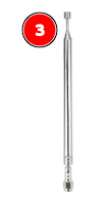
Telescopic antenna — extended to 54 cm
Range: 40 MHz – 6 GHz · Tunable
A vertical quarter-wave works for satellites passing overhead, but the ideal is a turnstile antenna, which matches the satellite's circular polarisation. The telescopic is a 3–6 dB compromise that still produces usable images on good passes. For your first attempt, use the telescopic.
The satellite rises from one horizon and sets at the other. You need a clear 180° sky view — outdoors is strongly recommended. If you must be indoors, place the antenna right against a window and accept lower signal levels on low-elevation portions of the pass.
4Before you start — check the pass
NOAA polar orbiters circle the Earth every ~100 minutes. From any European location, each satellite provides a useful pass (elevation > 15°) roughly 3–4 times per day, scattered across day and night. You need to know when to turn the receiver on.
Finding the next pass
- n2yo.com → search NOAA 18 or NOAA 19 → 10-day passes → enter your location. Shows max elevation and AOS/LOS times.
- Heavens-Above: heavens-above.com — older interface but very accurate. Set your location to your own coordinates (find them via Google Maps or a GPS app).
- SatDump: has built-in pass prediction once you configure your location.
Look for passes with maximum elevation > 40°. Passes under 20° are too short and too weak. A pass at 60°+ elevation gives you 12–14 minutes of strong signal and the most complete image strip. Choose the highest-elevation pass in your area where you have clear sky access.
Active NOAA satellites for APT
| Satellite | Frequency | Status | Notes |
|---|---|---|---|
| NOAA 19 | 137.100 MHz | Active ✓ | Best image quality. Primary target. |
| NOAA 18 | 137.9125 MHz | Active ✓ | Good quality, reliable. |
| NOAA 15 | 137.620 MHz | Degraded ⚠ | Aging satellite, intermittent. Try if others not passing. |
Frequencies current as of 2026. Check NOAA OSPO status page for current satellite health.
5Workflows
Mayhem does not include a real-time APT decoder or image display. You can receive and record the audio, but you need a laptop (or phone app like WXtoImg) for the final decoding step. This is the "capture now, decode later" approach.
From Mayhem: Receive → Audio. Frequency: 137.100 MHz (NOAA 19). Mode: WFM. BW: 34k if available, or NFM narrower as a fallback.
LNA: 24 dB · VGA: 16 dB · Amp: OFF. The satellite signal is moderate-strength — you don't need maximum gain, which would introduce noise.
Press the record button when AOS (acquisition of signal) begins. Record for the full pass (~12 minutes). Stop at LOS (loss of signal) when the signal weakens.
Copy the audio file from the SD card to your laptop. Open SatDump, select Offline processing → NOAA APT, select the audio file. SatDump renders the image and optionally overlays coastlines and maps.
Alternatively: use WXtoImg (older but widely documented) or the free Android app APT3000.
Download from github.com/SatDump/SatDump (binaries available for Linux/Windows/macOS). It can drive the HackRF directly without SDR++ as an intermediary.
Settings → Ground Station → enter coordinates. Use your own latitude, longitude, and altitude (find them via Google Maps or a GPS app). This enables pass predictions and map overlays on your images.
SatDump → Tracking → select NOAA 19, NOAA 18 — shows the next pass, max elevation, and a countdown. Prepare the antenna setup before the pass window.
SatDump → Record → Source: HackRF → Frequency: 137.100 MHz (for NOAA 19) → Sample rate: 1 MHz or 2 MHz → Gain: 40.
Click Start about 30 seconds before predicted AOS.
SatDump → Processing → select NOAA APT → Live processing. The image builds line by line as the satellite passes. You can see cloud formations appearing in real time.
After LOS, SatDump can apply corrections: rectification (removing the curved bow-tie distortion), map overlay (draw coastlines), colour enhancement (false-colour MCIR or MSA). The result is a publication-quality satellite image from your own receiver.
6Recommendation
The live image build is the emotional payoff of this session — watching a weather satellite photograph your region line by line as it passes over. The PortaPack can get you the raw audio for later decoding, but the real-time experience in SatDump is worth it. Set up the laptop near a window or take it outside for the pass.
7What it looks like in the waterfall
The APT signal is a continuous FM carrier about 34 kHz wide, visible as a persistent narrow stripe in the waterfall. Unlike the bursty signals from other sessions, this one stays on for the entire 12-minute pass. The characteristic sound is a rapid beeping — the 2400 Hz and 2080 Hz sync tones alternating at 2 lines per second.
The signal starts weak at AOS (satellite just above horizon), grows to maximum as the satellite approaches directly overhead, then fades again at LOS. This gradual crescendo and fade is a good sign you're tracking the real satellite and not noise.
8Troubleshooting
I can hear the characteristic beeping but the decoded image is mostly noise
The APT signal was received but SNR was too low. Most common causes:
1. Gain too high or too low. Try LNA 16 and LNA 32 — find the sweet spot where the beeping sounds cleanest (less static).
2. Antenna position. If indoors, move right to the window or outside. Even 30 cm closer to the glass helps.
3. Low-elevation pass. A pass at max 20° elevation only gives a few minutes of weak signal. Wait for the next high-elevation pass.
The image is striped horizontally with gaps
Signal was dropping in and out — likely from antenna movement, interference bursts, or multi-path (signal bouncing off nearby buildings). During recording, keep the antenna still and avoid moving it. A burst of radio interference (microwave oven, WiFi router, neighbour's transmitter) can also cause this.
I missed the pass — started recording too late
Set a reminder 5 minutes before AOS. APT images are partial even with 80% of the pass captured — just the edges will be missing. Check n2yo.com the day before for all upcoming passes and pick the best elevation one that fits your schedule.
SatDump shows a very dark or very white image
Contrast is driven by actual weather conditions. A uniform overcast sky produces a boring grey image — that's the cloud layer. Sunny clear days produce more contrast (cloud edges, coastline shadows). The "Equalise" function in SatDump stretches the histogram automatically — enable it in image settings.
SatDump doesn't find the HackRF
Confirm with hackrf_info first. If HackRF is found there but SatDump doesn't list it, check that no other app (SDR++, rtl_433) has the device open. One app at a time only.
9Next steps
- Build a proper turnstile antenna: Two crossed dipoles at 54 cm each, fed 90° out of phase via a simple phasing harness. Adds 3–6 dB compared to the telescopic and noticeably improves images on low-elevation passes.
- Session 06 — Marine VHF: Back to voice signals, much simpler setup — a palate cleanser after this one.
- METEOR-M2 / METEOR-M2-3: Russian weather satellites transmitting LRPT at 137.1 or 137.9 MHz. SatDump decodes them too and produces colour imagery at much higher resolution than NOAA APT.
- Set up an automated receiver: A Raspberry Pi with SatDump and a scheduler can record every pass automatically and email you the image.